Jobs, Job Templates, and subtasks
Separate the recurring rule from the individual piece of work.
Select a screenshot to open it full size in a new tab.
On this page
Current app labels: Job Templates appear under Settings → Firm Deadlines. Jobs appear on Tasks.
The template is the rule
A Job Template defines the work, its schedule, the Service it belongs to, and which clients it applies to.
For example, Monthly bookkeeping is the reusable rule. Monthly bookkeeping for Seabreeze Trading Ltd, due 15 November is one Job created from it.
A template can apply to all eligible clients on a Service, selected clients only, or all except selected clients. Its client types and required dates also affect eligibility.
The Job is the individual piece of work
An individual Job has its own due date, assignee, work state, budget, documents, and activity. Changing one occurrence is different from changing the template used to generate future occurrences.
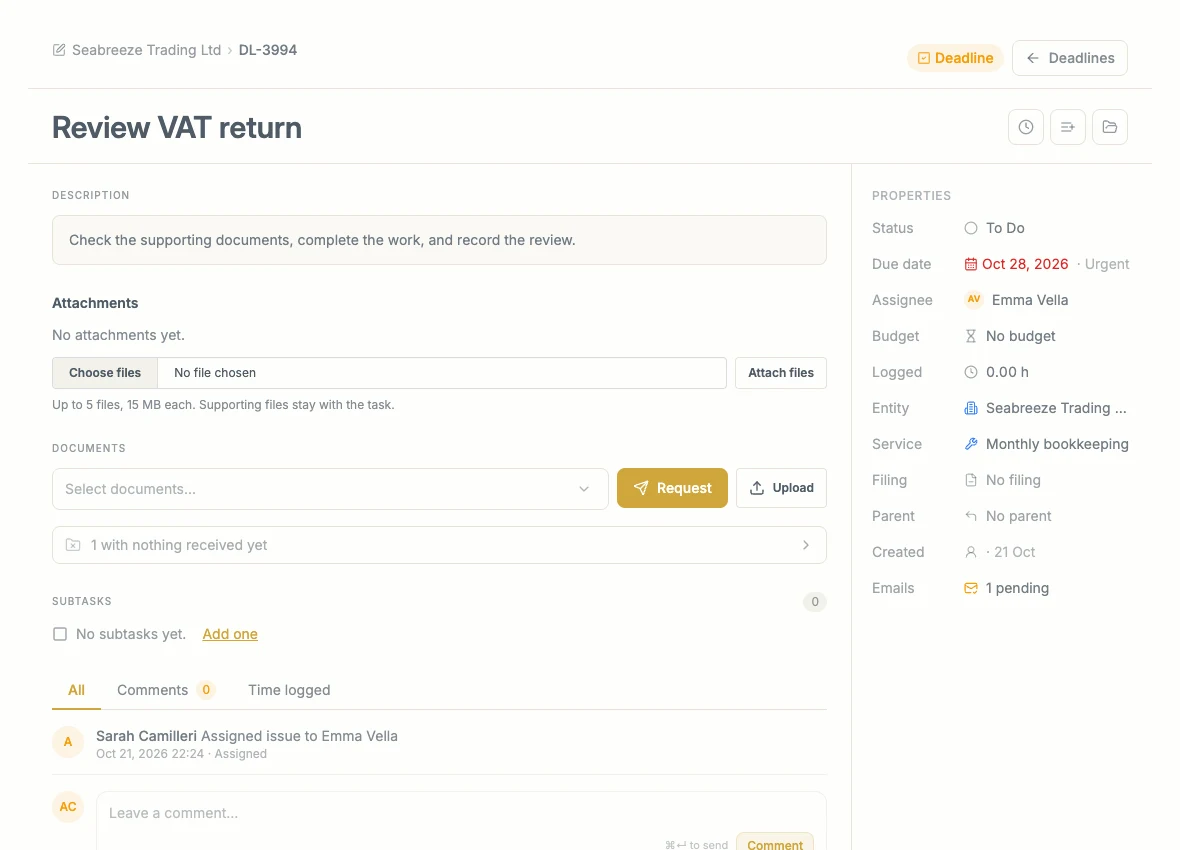
This is one Job for one Entity and due date. Its assignee and budget belong to this piece of work.
Recurring Jobs are generated automatically. One-time Jobs cover work that does not need a repeating schedule.
For a practical walkthrough, follow Work through a Job. For attachments, Documents, properties, email history, and the activity list, read Inside a Job.
Subtasks divide the work
A parent Job can have smaller subtasks, with different colleagues responsible for different pieces. Keep the overall budget on the parent Job; the budget covers the whole Job and its subtasks.
A subtask is not another recurrence. “Check bank reconciliation” is part of this month’s bookkeeping Job. Next month’s bookkeeping is a separate Job.
The terminology and Job Template workflow are being updated. This guide uses the intended names, but does not describe template-subtask setup controls that are not yet available in the current interface.
Generation and visibility
Ziffa creates Jobs within the generation window selected in Automations. This may be a number of months ahead or only the next occurrence.
Having a Job generated does not mean every colleague sees it: role access, client scope, and the active filters still apply. Use a saved view to bring relevant work to your attention.
Completion, submission, and billing
These are separate records:
- Work state: how far the team has progressed.
- Submission: whether the required filing or submission has been recorded.
- Billing: whether a charge has become eligible, been drafted, and been issued.
Updating one does not necessarily complete the others. Follow the controls and status shown for that stage.
Related: Job views, Job Template settings, and Billing.